|
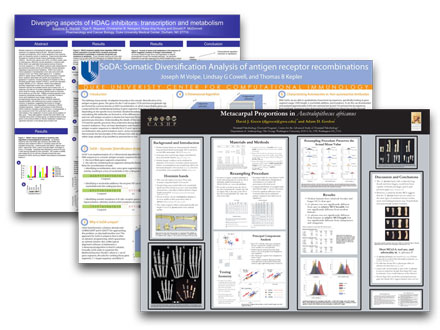
For poster sessions at scientific meetings and conferences, PhD Posters prints high-quality, affordable posters. Never Present an Old Poster Again. Why recycle old data? Printing a new poster starts at just $29.95. So Very Easy. Upload a PowerPoint or PDF. Pay via credit card (secured by PayPal). Get the print by mail or on selected campuses. Save Time and Money. A day of cutting and pasting is no fun. PhD Posters is a fast and inexpensive way to make your poster look great. For Researchers, By Researchers. PhD Posters is owned & operated by current and former grad students. |
|
Cheap and good-looking? You bet -- we don't compromise on quality. PhD Posters uses the same photo-gloss paper and HP Designjet™ printers as the big boys. But our prices are still the lowest you'll find anywhere -- less than $3 per square foot.
(2) Quoted online Dec 2005 for glossy paper. (3) Quoted online Dec 2005 for non-laminated "paper". (4) Quoted online Feb 2006 for glossy paper. (5) Quoted online Feb 2008 for semi-gloss paper. (6) Quoted by phone Oct 2005 (9th St, Durham, NC) for glossy paper ($12/ft2 less 35% University discount). * Size not quoted; price estimated from nearest available size(s). Designjet is a trademark of Hewlett-Packard. |
![]() |
||||||||||||||||||||||||||||||||||||||||||||||||||||||||||||||||
|
Around the corner. If you live or work near one of our campus locations, pick-up is fast and easy. Across the country. If you need it shipped, we won't rip you off just because you're in a hurry -- we charge you only what it costs us. |
When preparing your poster, you have two options. The easiest route is to make a giant slide in PowerPoint. For more control, you can use programs like Adobe Illustrator to create a PDF file directly.
Even if you design your poster using PowerPoint, we recommend making a PDF of it to submit for printing. Your poster will arrive faster, avoid PowerPoint printing errors, and cost less. (We offer an additional discount for PDF orders.) Click here for detailed, step-by-step instructions on converting PowerPoint to PDF.
You probably already know the software, and you can quickly recycle the charts and graphics you've already created. Software like Apple's Keynote and the free OpenOffice can also produce PowerPoint files. Because PowerPoint limits the maximum size of your slides, we recommend making half-size slides:
| Actual poster size | PowerPoint slide size (File | Page Setup) | |
| 42" x 36" | 21" x 18" | |
| 48" x 42" | 24" x 21" | |
| 60" x 42" | 30" x 21" | |
| 72" x 42" | 36" x 21" | |
| 84" x 42" | 42" x 21" | |
| 96" x 42" | 48" x 21" |
Please do not embed Word documents, Excel charts & tables, or Visio drawings into your PowerPoint. These objects look OK on the computer screen, but they usually don't print correctly. Instead, convert them to images (JPEGs, TIFFs, EPS, etc.) before adding them to your slide:
The only other trick is to make sure your graphics are embedded rather than linked; linked graphics will be missing when we try to print your poster. Just uncheck the "Link to file" box when using the Insert | Picture | From File menu. (Copy-and-pasted pictures are always embedded.)
PowerPoint files often do not look the same on all computers. To ensure fast and accurate printing, we suggest (but certainly don't require!) that you convert the final PowerPoint slide to a PDF before submitting it. You'll get your poster faster and you'll get an extra discount, too. We've got detailed, step-by-step instructions for both Windows and Macintosh computers.
If you prefer an industrial-strength graphic design program like Adobe Illustrator, you're in luck. Just create a document that matches the printed size of your poster, and save it as a PDF. Almost all design programs support the PDF format.
For the rest, PCs with the full version of Adobe Acrobat (free trial) and all Macs can "Print to PDF", allowing you to create PDFs from any program you like. (See our detailed tips and instructions for using print-to-PDF with PowerPoint slides.)
Keep these points in mind for the best possible quality:
There are a couple simple things you can do to make your poster look its best. In addition to the specific tips given above, we have these suggestions: